Canva AI (Magic Studio) How-To 2026: Image Generation, Magic Tools, and Verified Pricing
I opened Canva's own site and checked the AI image generator and pricing pages, with real screenshots. Make images and designs from a prompt with Magic Studio (Magic Write, Design, Media, Edit) - plus the live pricing I saw (Free / Pro) and the free-credit limits.
When you have to produce something and you’re not a designer, Canva is the first name that comes to mind. Now its AI suite (Magic Studio) is front and center - a prompt alone gets you images and designs. Today I opened Canva’s own site and checked the AI image generator and pricing pages; every screenshot below is one I captured.
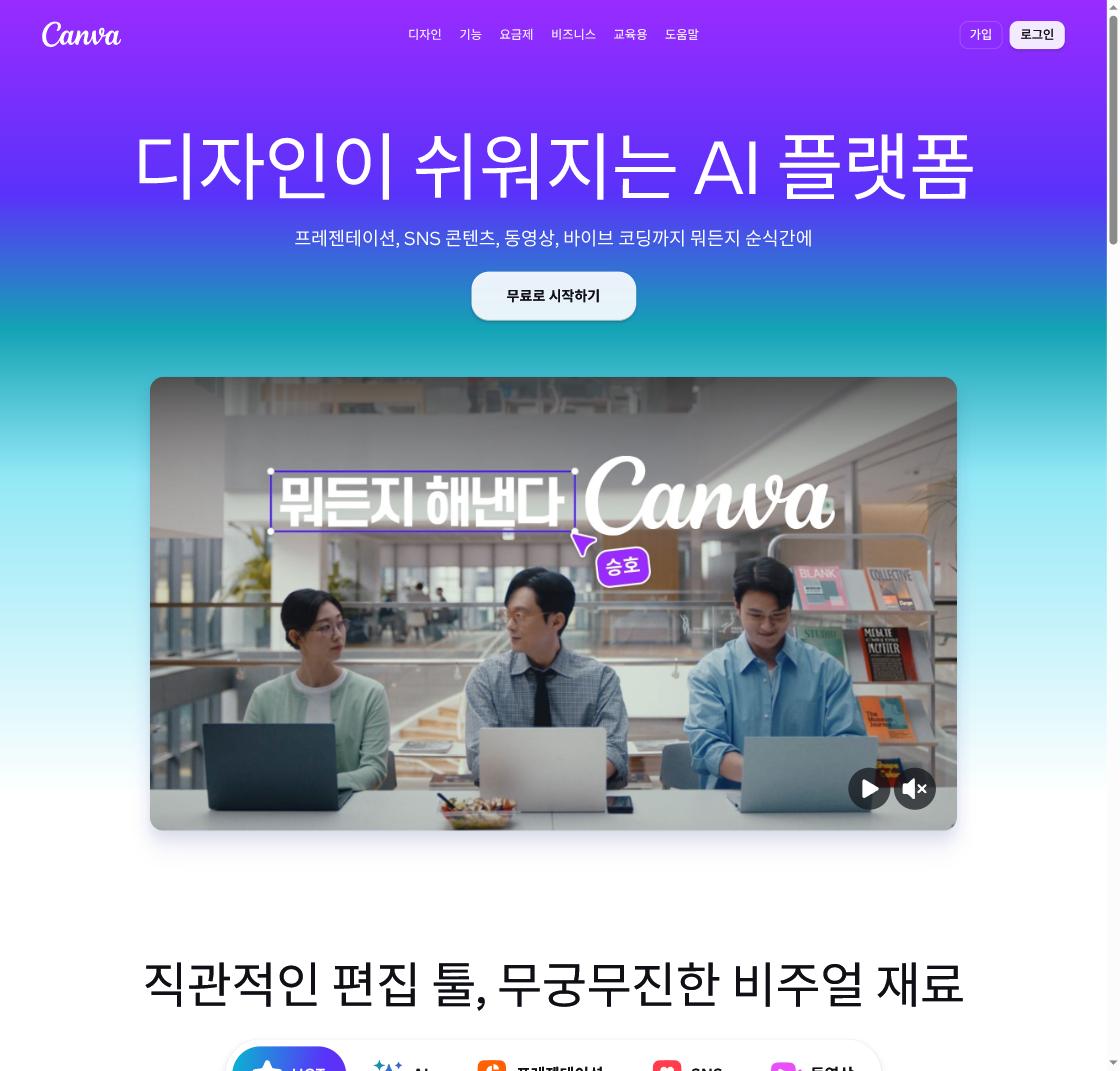
First impression, opening it directly
The home page leads with “the AI platform that makes design easy,” covering presentations, social content, video, and even “vibe coding.” Past its template-editor roots, Canva now puts AI up front. The key point: the AI lives inside the editor - no separate app to open.
What Magic Studio actually does
Canva’s AI bundle is called Magic Studio. The main pieces:
- Magic Write - AI text for copy, body, captions
- Magic Design - layouts and templates from a prompt
- Magic Media / Dream Lab - AI image and video generation
- Magic Edit / Eraser / Expand - edit parts, remove objects, outpaint
- Magic Resize - auto-adapt one design to social, flyer, and slide sizes
If you want to compare dedicated image quality, look at Nano Banana Pro; for presentation-focused AI, Gamma.
How AI image generation works
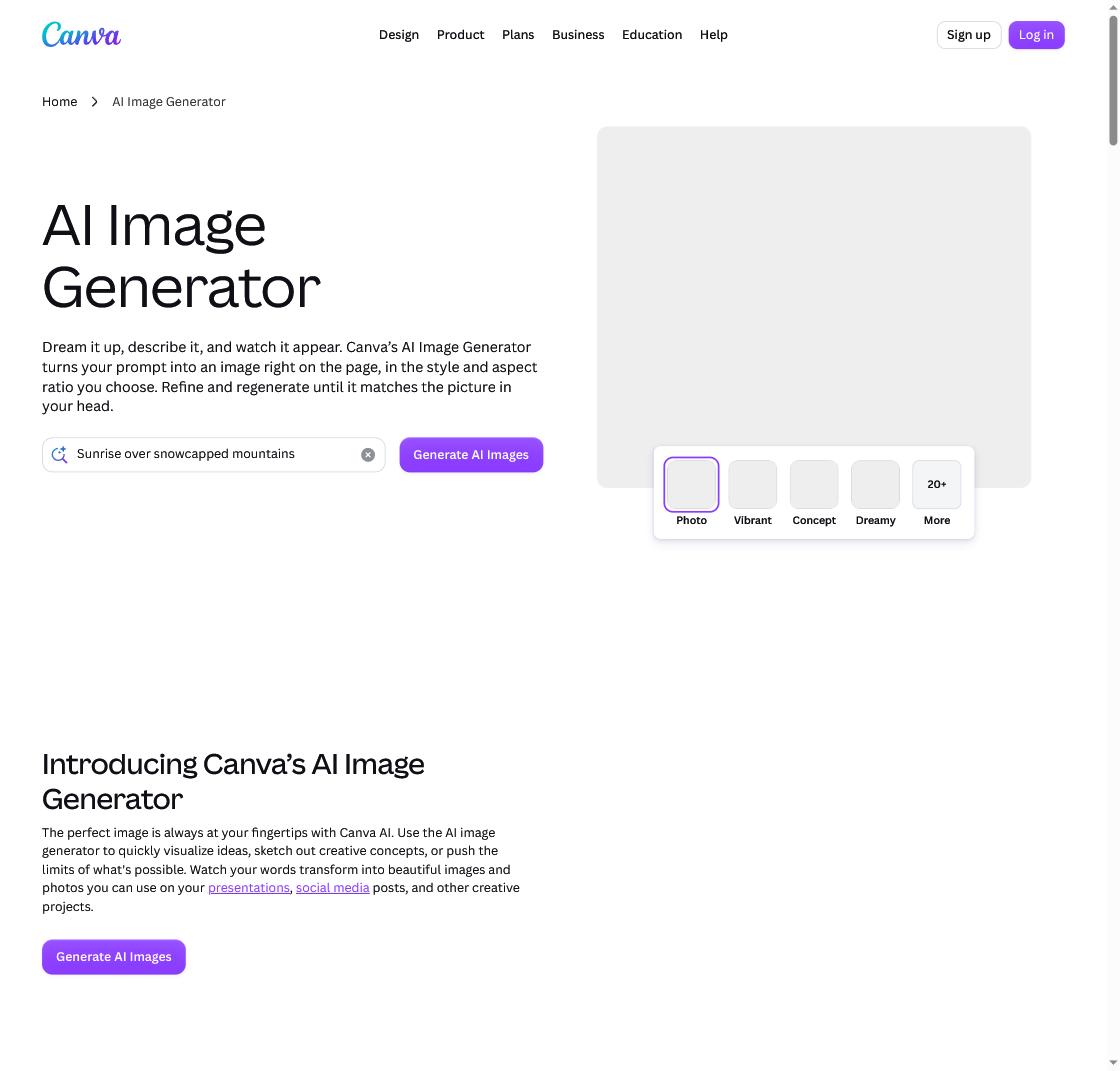
The image generator page was simple: type a prompt -> pick a style (Photo, Vibrant, Concept, Dreamy, 20+ styles) and aspect ratio -> generate. Don’t like it? Regenerate on the spot. The finished image flows straight into the Canva editor, so “generate -> edit -> finish” happens in one place.
Pricing: better to check it yourself
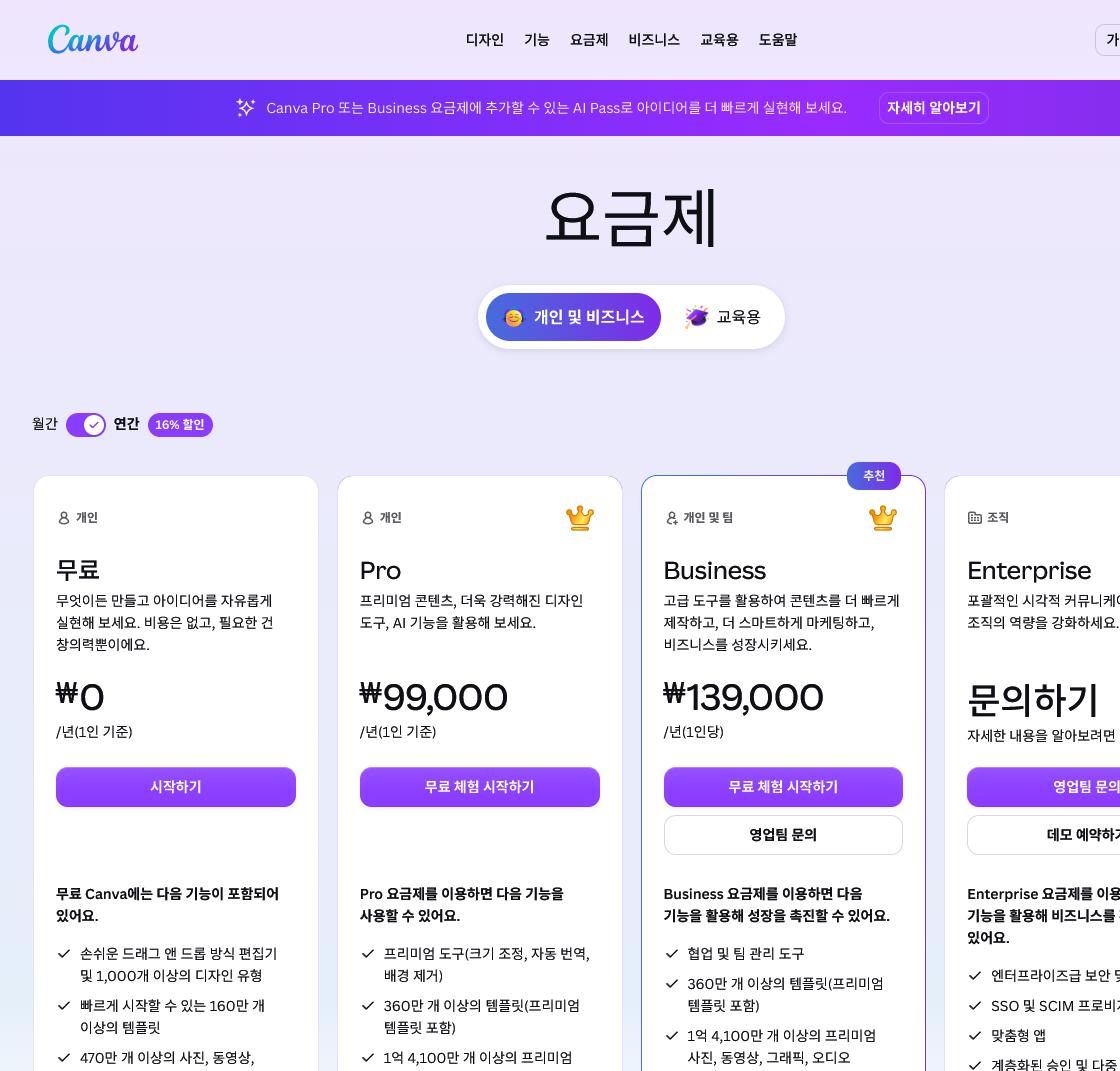
Pricing is regional. On the live page I checked (Korea), the annual figures were Free ₩0, Pro ₩99,000/year (1 person), Business ₩139,000/year (per person), and Enterprise (contact). Globally, Canva Pro runs roughly $120/year (about $10-15/mo) depending on region - so check your own region’s page. There was also an AI Pass add-on advertised for Pro/Business. The free plan grants monthly AI credits (roughly 200 standard + 20 premium), but background remover, Magic Eraser, and Magic Expand are paid-only.
What are the honest limits?
Free AI credits are a monthly cap, so heavy use runs out fast, and advanced tools (background remover, expand) need Pro or higher. Vague prompts give average results - be specific - and you must check AI output for facts and copyright (don’t imitate real people or trademarks). It’s stronger for drafts, bulk variations, and non-designers than as a “designer replacement.” For chaining AI tools into one flow, see the AI creator workflow.
Frequently Asked Questions
Q. Is Canva AI free? The free plan includes monthly AI credits (roughly 200 standard + 20 premium). But background remover, Magic Eraser, and Magic Expand are paid (Pro or higher).
Q. How do I generate AI images? In the image generator or editor, enter a prompt, pick a style (20+) and aspect ratio, then generate. The result flows straight into the editor to drop into a design.
Q. How much does it cost? Pricing is regional. On Korea’s live page (annual, per person): Free ₩0, Pro ₩99,000/yr, Business ₩139,000/yr, Enterprise by contact. Globally Canva Pro is around $120/year - check your region’s page for the exact figure.
Related posts
 AI Tools
HeyGen How-To 2026: AI Avatars, 175+ Language Video Translation, and Real Verified Pricing
I checked the official site directly today - the pricing floating around search is stale; here's what's real
 AI Tools
ChatGPT Atlas Shutdown 2026: Moving Bookmarks and Browser Workflows
Your chats survive the Atlas shutdown; your bookmarks, tabs, and browser history may not
 AI Tools
Gemini Spark for macOS 2026: File Automation, Connected Apps, and MCP
Gemini is moving beyond chat and into the files and apps on your Mac