HeyGen How-To 2026: AI Avatars, 175+ Language Video Translation, and Real Verified Pricing
I opened HeyGen's own site today and checked the home, translate, and pricing pages, with real screenshots. Clone your avatar from a selfie and translate videos into 175+ languages with lip-sync. Live-verified pricing (Free / Creator $29 / Pro $49) and the credit-and-watermark catches from real use.
If you make short-form or YouTube video, you’ve probably wanted to go faceless and multilingual. So I opened HeyGen’s own site today and worked through the home, translate, and pricing pages. Every screenshot below is one I captured today, and the pricing in particular differs from what’s floating around search - so I’m correcting it from what I actually saw.
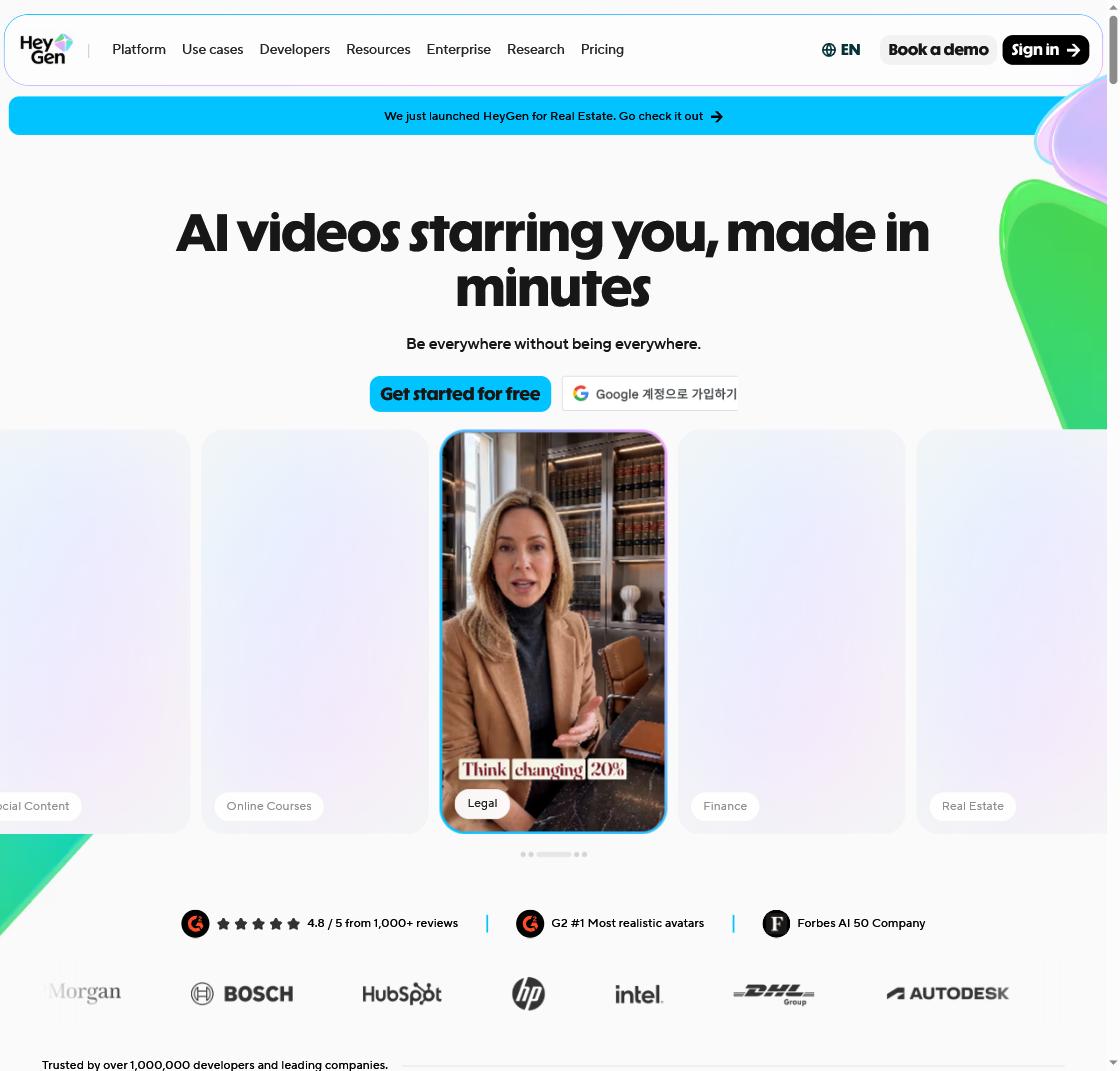
First impression, opening it directly today
The home page leads with “AI videos starring you, made in minutes,” and a top banner announced they’d “just launched HeyGen for Real Estate.” Below, industry cards rotate - Legal, Finance, Real Estate, Online Courses - with badges like “4.8/5 from 1,000+ reviews,” “G2 #1 most realistic avatars,” and “Forbes AI 50,” plus logos from HubSpot, Intel, DHL, and Autodesk. Strip the marketing and it’s two things: talking AI avatars, and translating existing videos into many languages.
Clone your avatar from a selfie
The core feature builds a “talking head” video from just a script. You can use a stock avatar, or clone your own avatar from a selfie video so you get videos of yourself talking without filming each time. For repeat-format content - product intros, courses, internal updates - it saves real time.
Video translation is the real strength
For a solo creator chasing global audiences, translation is the point. The translate page made the flow clear.
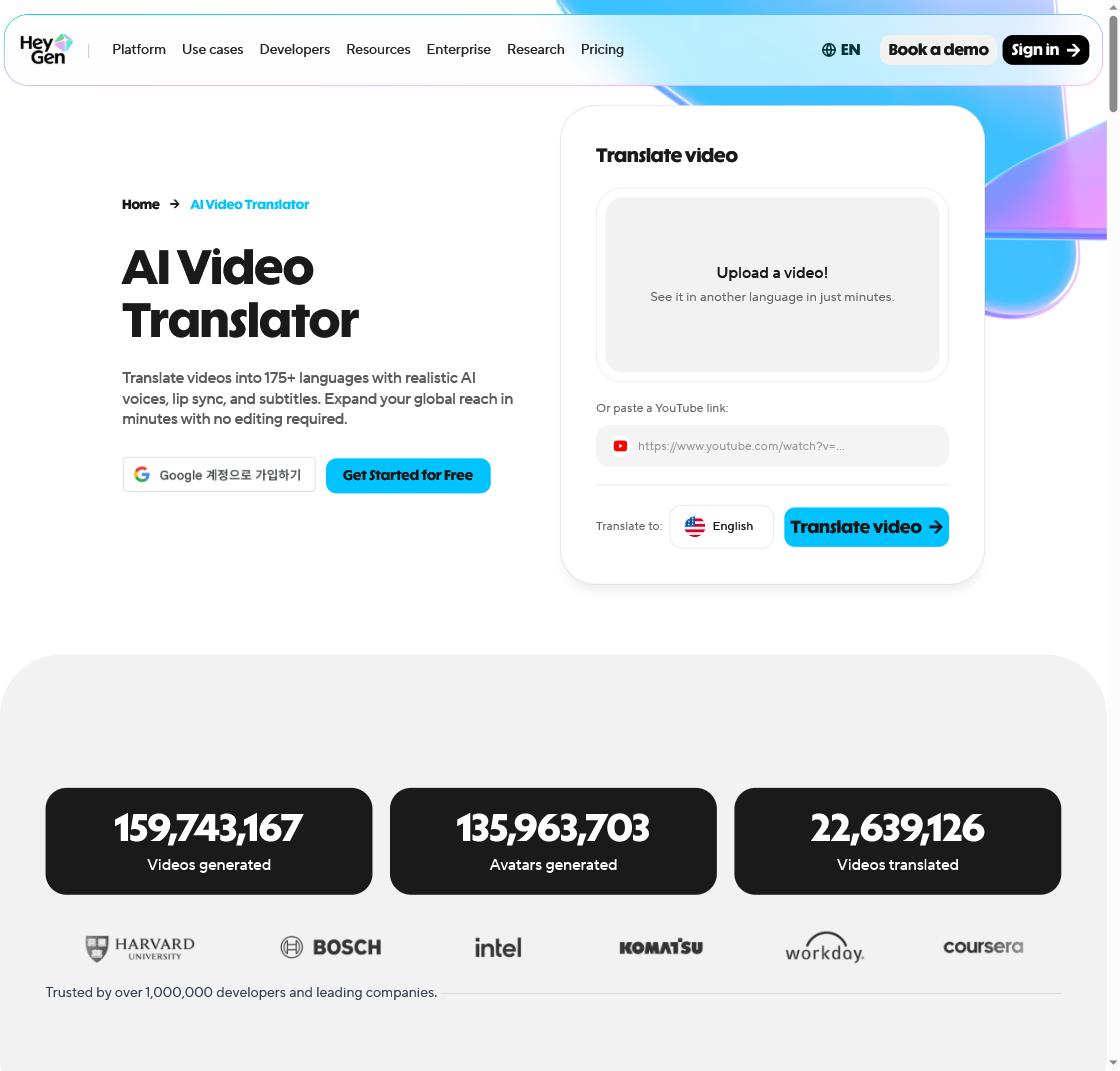
- Upload a file or paste a YouTube link -> pick languages -> Translate video
- 175+ languages, AI captions + cloned voice + automatic lip-sync, no editing required
Two modes: Hyperrealistic Translation (matches lip-sync when the face is clear) and Audio Dubbing (voice only, when the face is small or speed matters). Today the live counters at the bottom read “159,743,167 videos generated / 135,963,703 avatars generated / 22,639,126 videos translated” - up again from last week. To polish the voice further, pair it with a voice tool like ElevenLabs; for generating clips, combine with Seedance.
Pricing: better to check it yourself
Search still surfaces stale numbers like “Pro $99.” Checking the pricing page today, it’s different.
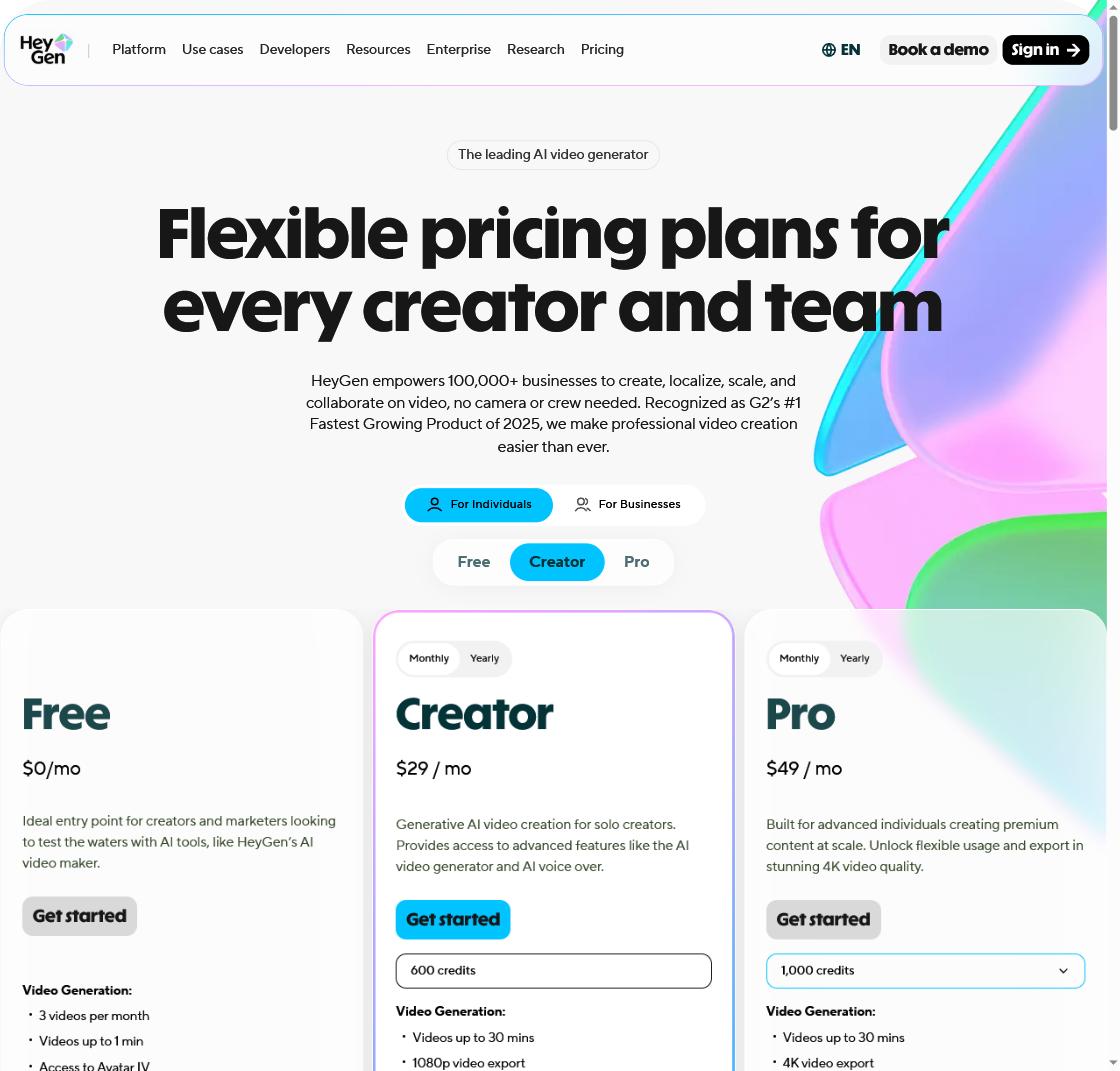
| Plan | Price (mo) | Credits | What I saw |
|---|---|---|---|
| Free | $0 | trial | 3 videos/mo, 1-min videos, watermark, Avatar IV access |
| Creator | $29 | 600 credits | 30-min videos, 1080p, watermark removed |
| Pro | $49 | 1,000 credits | 30-min videos, 4K export |
| Business | $149+ | separate | teams, SSO, custom avatars |
The key variable is credits. Premium avatars burn more, so Creator’s 600 credits stretch to ~200 minutes on Avatar III but only ~30 minutes on the newest avatars. It’s “credit-metered,” not “unlimited” - and which avatar engine you pick drives cost more than the plan name.
What are the honest limits?
Free carries a watermark at 3 videos/month with 1-minute clips, so monetizing needs Creator or higher. It’s credit-metered, so premium avatars and long videos add up fast, and lip-sync/voice cloning are good but not 100% - review anything important. Cloning real people or others’ voices without consent is prohibited. For chaining tools into one flow, see the AI creator workflow.
Frequently Asked Questions
Q. Is HeyGen free? There’s a Free plan, but it’s trial-grade: 3 videos/month, 1-minute clips, watermark. Monetizing needs Creator ($29/mo) or higher, and billing is credit-metered.
Q. How many languages can it translate into? 175+ languages, with AI captions, cloned voice, and automatic lip-sync - no editing needed. Choose lip-sync (Hyperrealistic) when the face is clear, or audio dubbing when speed matters.
Q. Can I make an avatar of my own face? Yes - clone your avatar from a selfie video to make talking videos without filming. Cloning other people’s faces or voices without consent is not allowed.
Related posts
 AI Tools
Canva AI (Magic Studio) How-To 2026: Image Generation, Magic Tools, and Verified Pricing
No design skills? A prompt gets you a draft - I checked the official site directly today
 AI Tools
ChatGPT Atlas Shutdown 2026: Moving Bookmarks and Browser Workflows
Your chats survive the Atlas shutdown; your bookmarks, tabs, and browser history may not
 AI Tools
Gemini Spark for macOS 2026: File Automation, Connected Apps, and MCP
Gemini is moving beyond chat and into the files and apps on your Mac